

How to set a budget
1
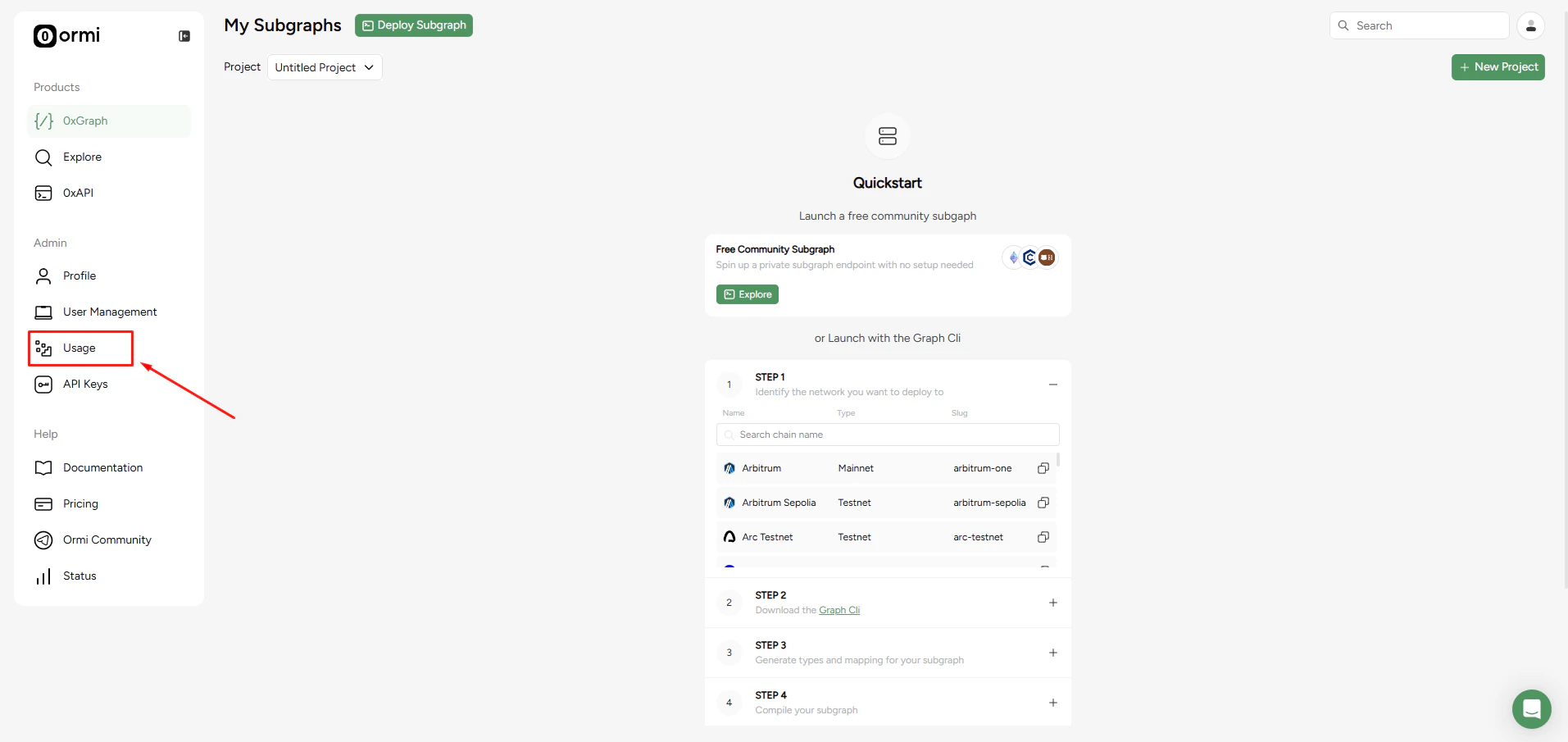
Press Usage on the sidebar in the App
2
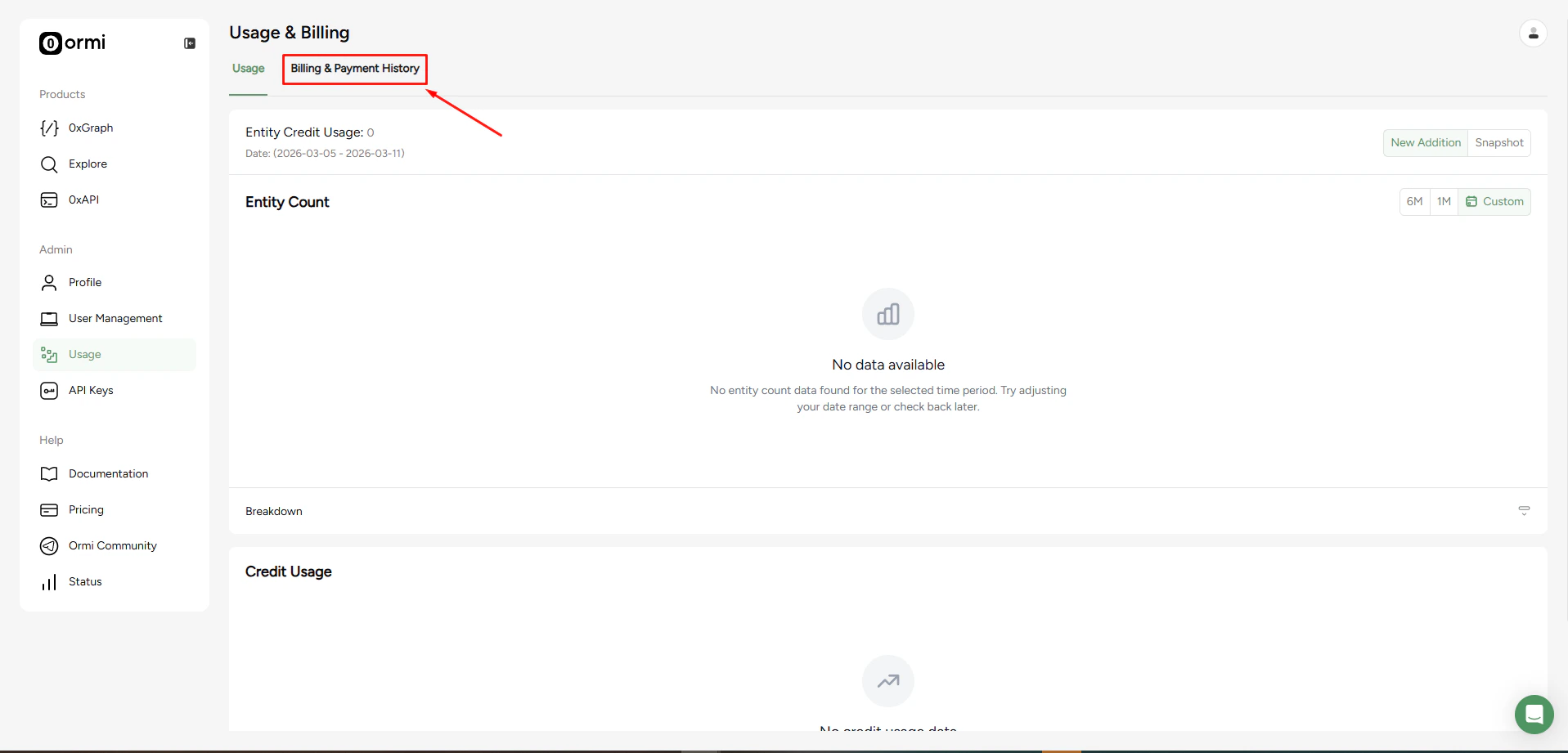
Click the Billing & Payment History Tab
3
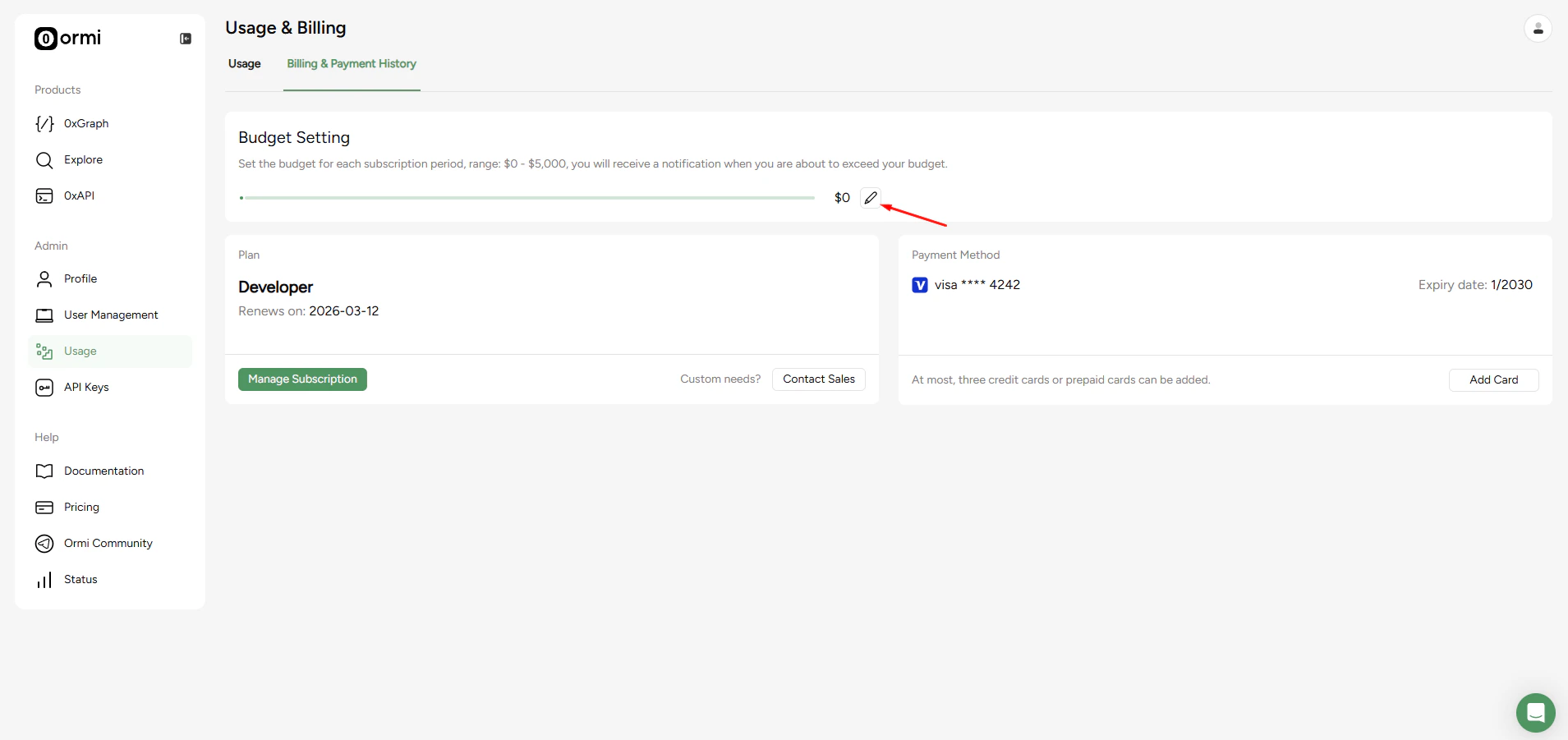
Click the edit icon
4
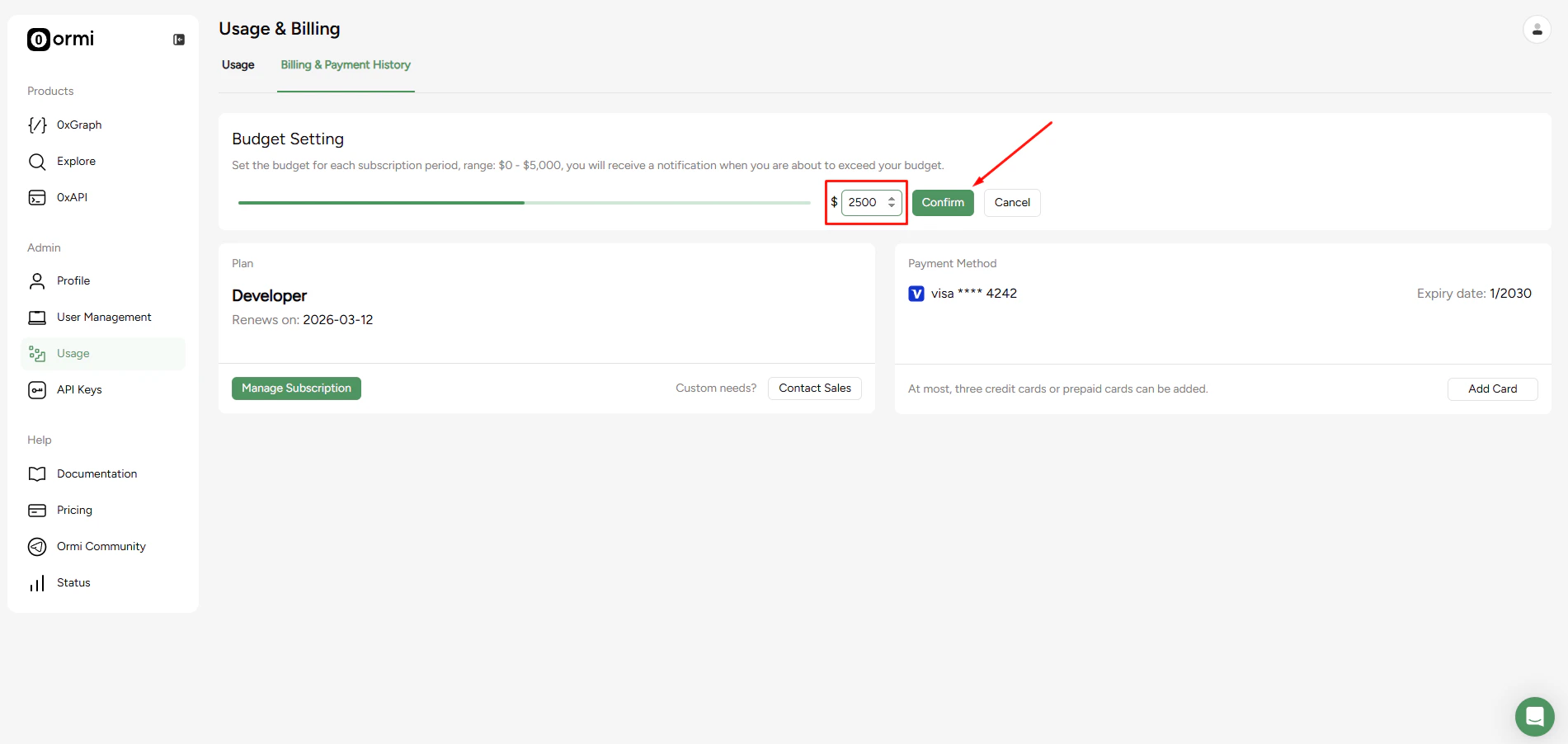
Set the limit for usage notification
How it works
- Budgets apply per subscription period.
- You will receive a notification when you are about to exceed your set budget.
- Setting a budget does not hard-stop your usage. It is a spending alert, not a hard cap.