> ## Documentation Index
> Fetch the complete documentation index at: https://ormilabs.com/docs/llms.txt
> Use this file to discover all available pages before exploring further.
# Perform Query
> How to perform a query on a REST endpoint to retrieve onchain data
In this guide, we will walk you through the steps to perform a query on a REST endpoint to retrieve onchain data.
## Prerequisites
Before you begin, ensure you have the following:
* An API key
* A REST client (e.g., Postman, curl)
## Steps to Perform a Query
1. **Identify the endpoint URL**: The base URL for the API is `https://data-api.cloud.ormi.dev/somnia`.
2. **Add the endpoint path**: Append the specific endpoint path to the base URL, e.g., `v1/address/{walletAddress}/balance`.
3. **Include query parameters**: Add any necessary query parameters to the URL, e.g., `?param1=value1¶m2=value2`.
4. **Set up headers**: Include the required headers, such as `Authorization` with your API key.
5. **Make the request**: Use your REST client to send a GET request to the constructed URL.
You may find all our API definitions in the [API Reference](/docs/dedicated-env/somnia/data-apis/api-reference/balances/get-erc-20-balance) or access them below:
Access Data APIs Now for Free
***
## Example - Performing a Query to Fetch ERC20 Transfers
Here is an example of a query to retrieve the token balance of a wallet address on the Ethereum mainnet:
1. Identify the endpoint URL by navigating to the [API Reference](/docs/dedicated-env/somnia/data-apis/api-reference/balances/get-erc-20-balance).
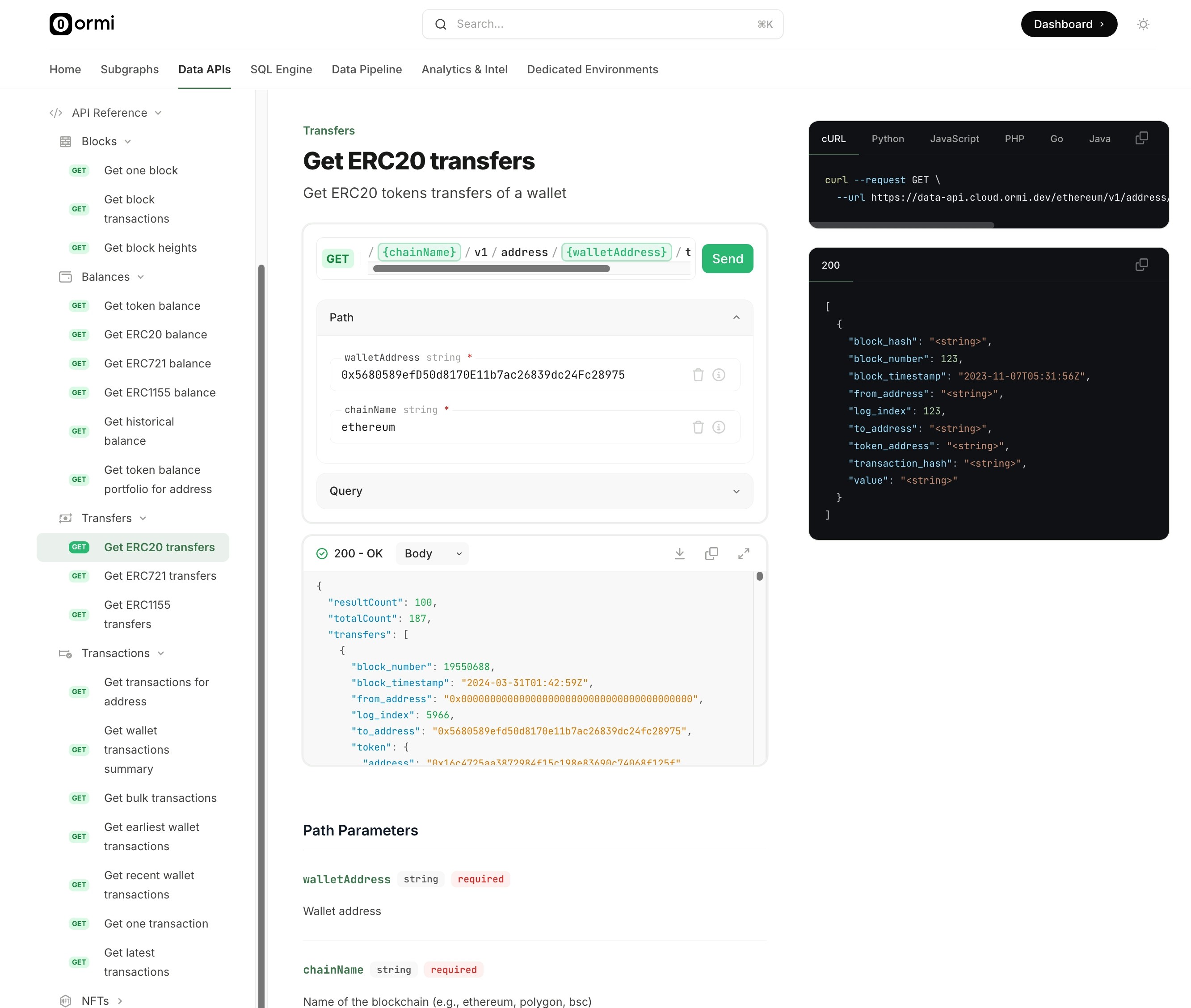 Retrieve ERC20 transfers
2. Copy and paste the required endpoint path and query parameters into the editor, then click "Send" to make the request.
Retrieve ERC20 transfers
2. Copy and paste the required endpoint path and query parameters into the editor, then click "Send" to make the request.
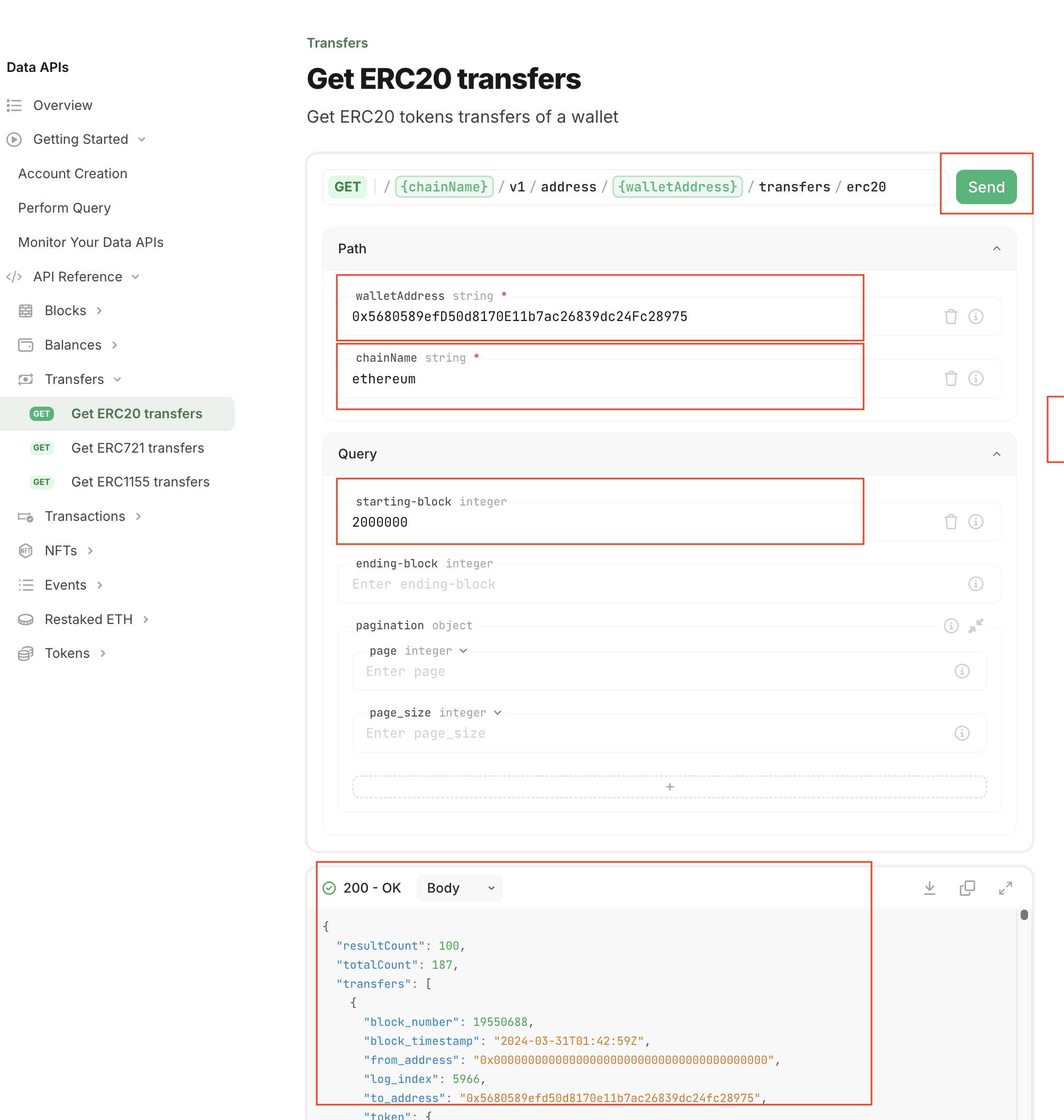 Perform query
3. You may use any third-party tool such as curl or Postman to directly query the endpoint.
Perform query
3. You may use any third-party tool such as curl or Postman to directly query the endpoint.
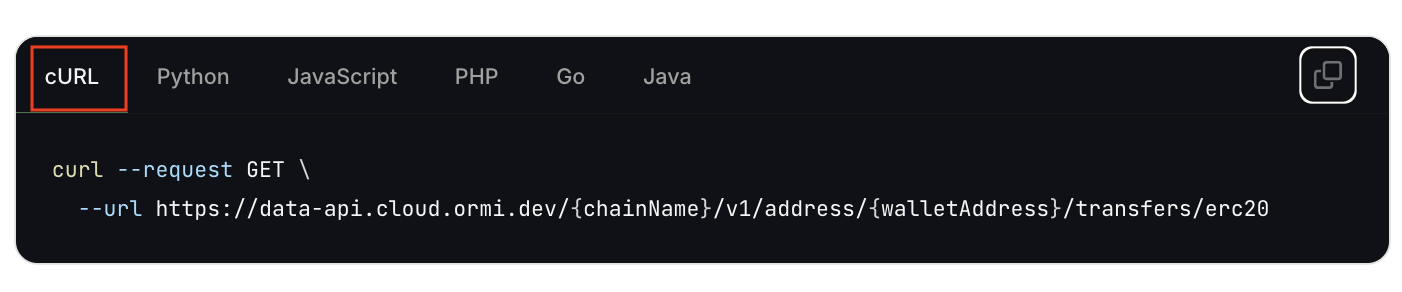 Using curl for query
4. The API Reference page also provides handy code snippets for various programming languages to help you get started.
Using curl for query
4. The API Reference page also provides handy code snippets for various programming languages to help you get started.
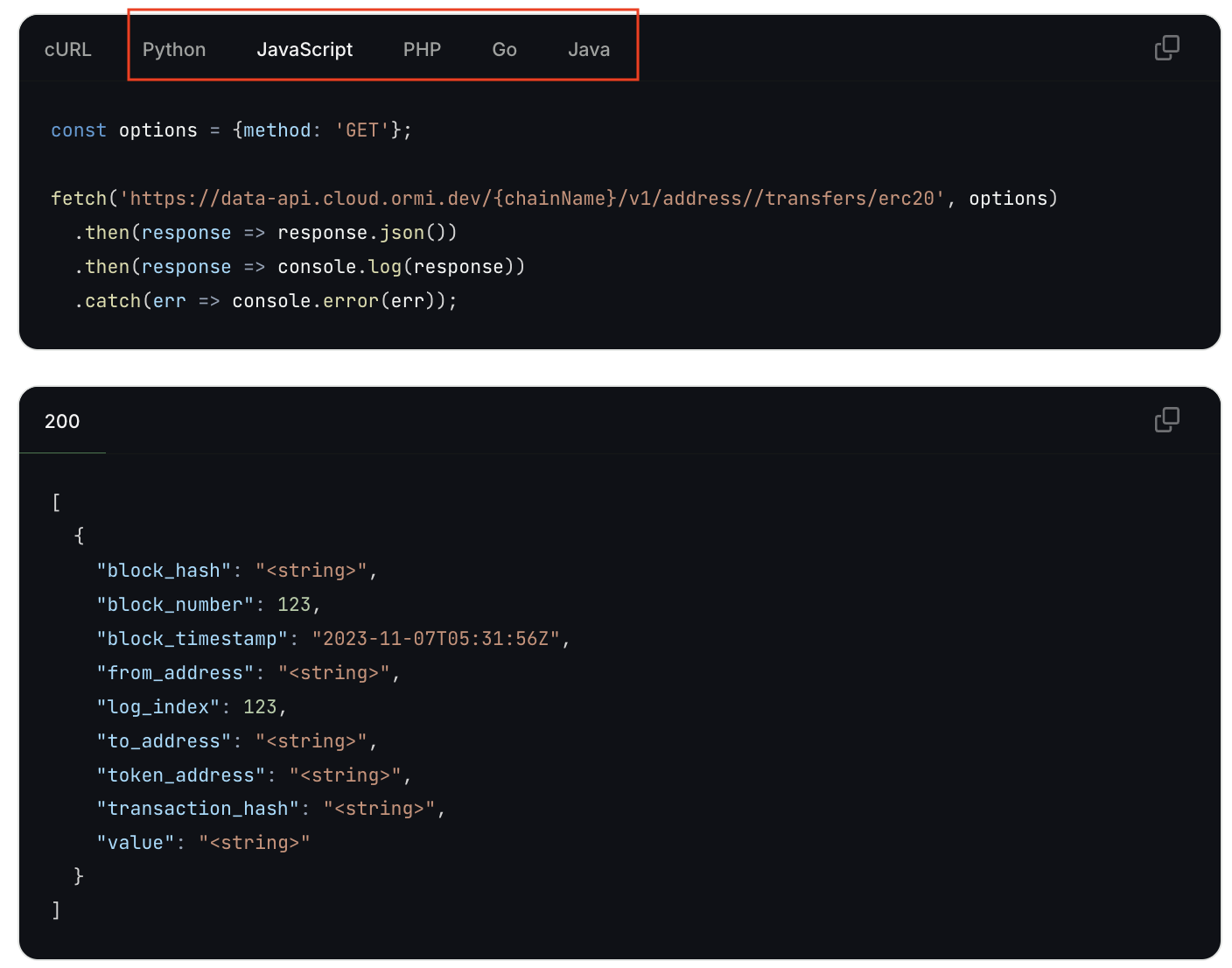 Using other programming languages