> ## Documentation Index
> Fetch the complete documentation index at: https://ormilabs.com/docs/llms.txt
> Use this file to discover all available pages before exploring further.

# Creating an Ormi account

> How to create your 0xGraph account in 1 minute

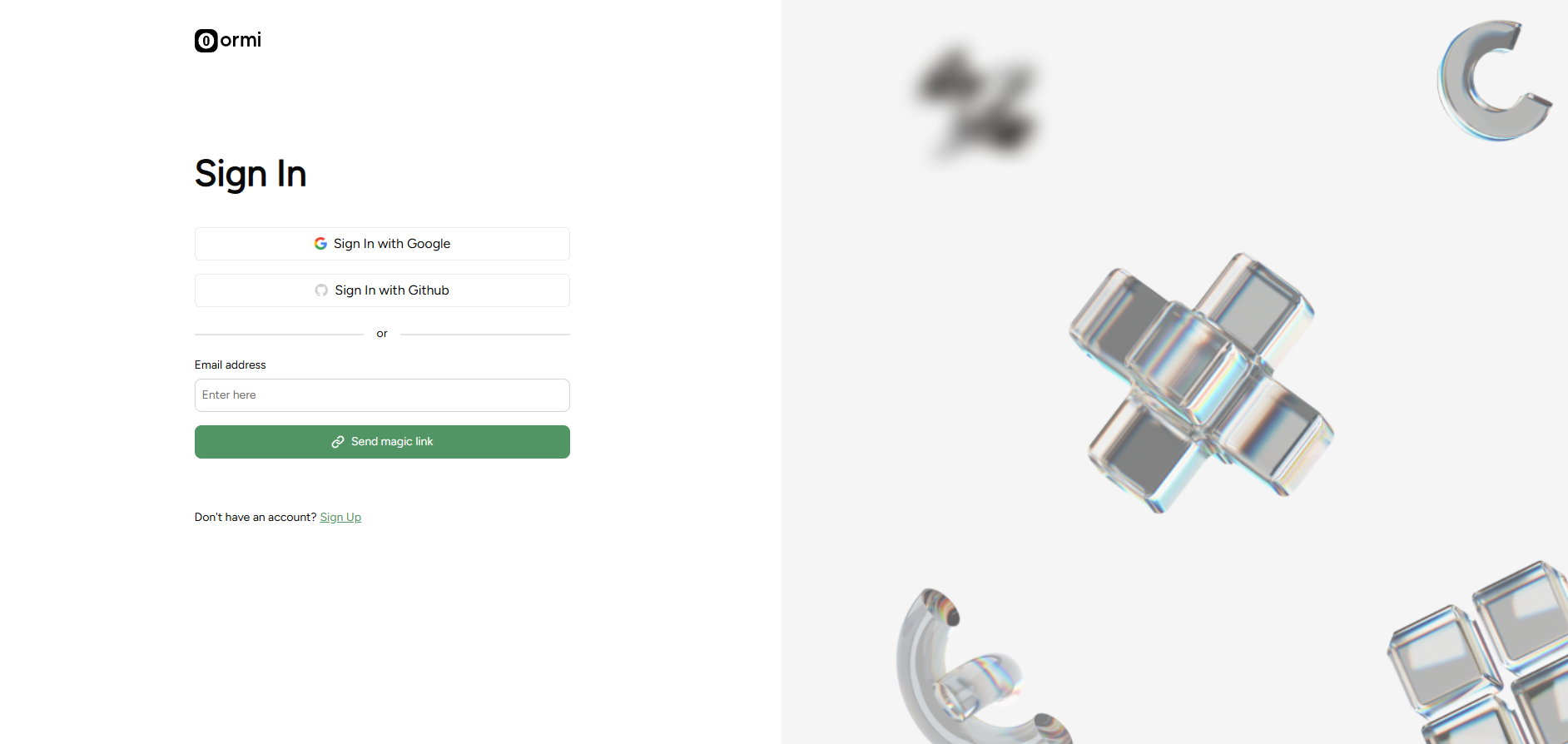
## **Step 1**: Head to the [Ormi App](https://app.ormilabs.com) to create an account

<Frame>
  <img src="https://mintcdn.com/ormilabs/QF_fmnEzWAEcNv02/images/0xgraph-signup.png?fit=max&auto=format&n=QF_fmnEzWAEcNv02&q=85&s=bec33610b329a4114e00cee79fbf6639" alt="0xGraph App registration" width="1884" height="894" data-path="images/0xgraph-signup.png" />
</Frame>

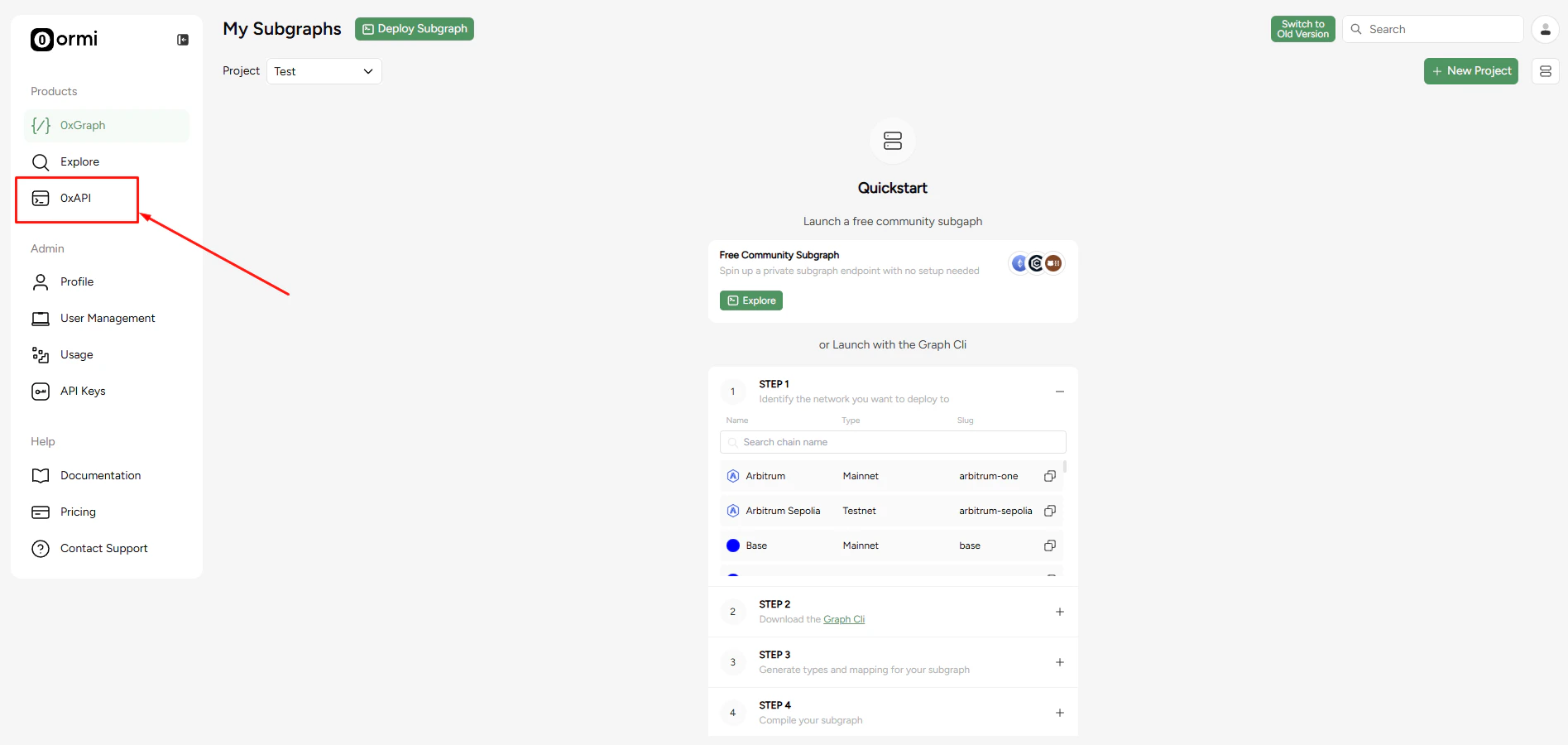
## **Step 2**: Click on 0xAPI tab

<Frame>
  <img src="https://mintcdn.com/ormilabs/vcU9W8gg4MUmMgRt/images/how-to/data-api.png?fit=max&auto=format&n=vcU9W8gg4MUmMgRt&q=85&s=62f55fbdfab51ff8f7a4236042756c9b" alt="0xGraph App registration" width="1895" height="900" data-path="images/how-to/data-api.png" />
</Frame>

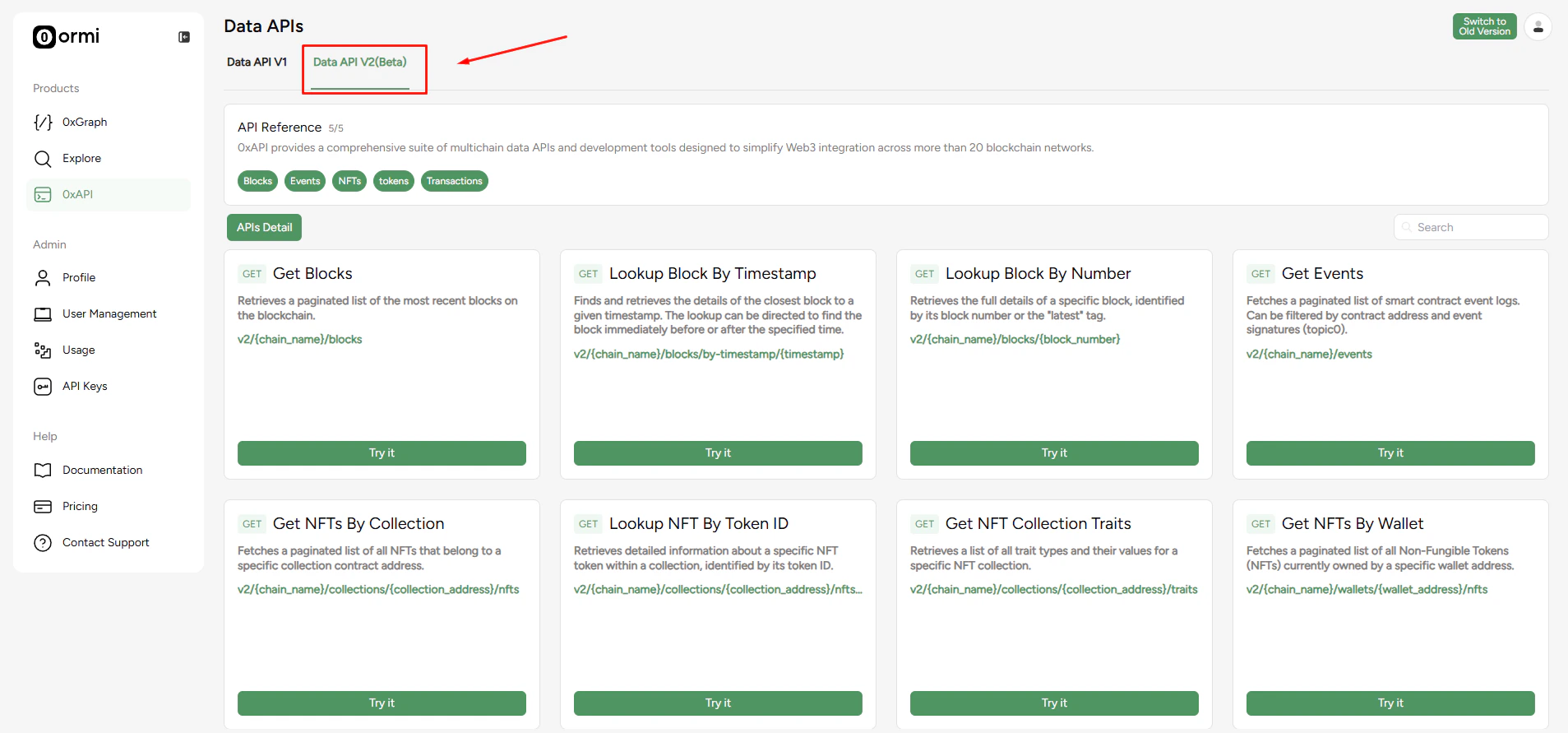
## **Step 3**: Click on Data API V2

<Frame>
  <img src="https://mintcdn.com/ormilabs/vcU9W8gg4MUmMgRt/images/how-to/data-api2.png?fit=max&auto=format&n=vcU9W8gg4MUmMgRt&q=85&s=f783dc6b64af8e4a2f1700b02705b07b" alt="0xGraph App registration" width="1907" height="891" data-path="images/how-to/data-api2.png" />
</Frame>

Your account is now set-up. You can start exploring the different endpoints.

## Next steps

<div
  className="grid grid-cols-1 md:grid-cols-2 gap-6 not-prose"
  style={{
marginBottom: '4rem',
maxWidth: '1200px',
margin: '0 auto 4rem auto',
alignItems: 'stretch'
}}
>
  {" "}

  <a
    href="/docs/data-api/quickstart/generate-an-api-key"
    style={{
textDecoration: "none",
color: "inherit",
display: "flex",
}}
  >
    <div
      className="group border border-gray-200 rounded-xl p-6 hover:border-green-500 hover:shadow-lg transition-all duration-200 cursor-pointer"
      style={{
  minHeight: "200px",
  display: "flex",
  flexDirection: "column",
  width: "100%",
}}
    >
      <div className="flex items-center mb-4">
        <div className="mr-3" style={{ color: "#3E744D" }}>
          <img src="https://mintcdn.com/ormilabs/qV2VfGqVCCe99Ked/images/icons/key-round.svg?fit=max&auto=format&n=qV2VfGqVCCe99Ked&q=85&s=805229667e70255dd077948c8ad65e7d" alt="api key icon" width="20" height="20" data-path="images/icons/key-round.svg" />
        </div>

        <div className="text-lg font-semibold text-gray-900" role="heading" aria-level="3">
          Create an API key
        </div>
      </div>

      <p className="text-gray-600 text-sm flex-grow">Generate an API key to start querying your data API.</p>
    </div>
  </a>

  {" "}

  <a
    href="/docs/api-reference/0xAPI/overview"
    style={{
textDecoration: "none",
color: "inherit",
display: "flex",
}}
  >
    <div
      className="group border border-gray-200 rounded-xl p-6 hover:border-green-500 hover:shadow-lg transition-all duration-200 cursor-pointer"
      style={{
  minHeight: "200px",
  display: "flex",
  flexDirection: "column",
  width: "100%",
}}
    >
      <div className="flex items-center mb-4">
        <div className="mr-3" style={{ color: "#3E744D" }}>
          <img src="https://mintcdn.com/ormilabs/qV2VfGqVCCe99Ked/images/icons/api-reference.svg?fit=max&auto=format&n=qV2VfGqVCCe99Ked&q=85&s=356f0be17121dc6590f0235b33a391ae" alt="api reference icon" width="20" height="20" data-path="images/icons/api-reference.svg" />
        </div>

        <div className="text-lg font-semibold text-gray-900" role="heading" aria-level="3">
          See API reference
        </div>
      </div>

      <p className="text-gray-600 text-sm flex-grow">Learn how to retrieve wallet, token, and transaction-level data with structured, low-latency endpoints.</p>
    </div>
  </a>
</div>