> ## Documentation Index
> Fetch the complete documentation index at: https://ormilabs.com/docs/llms.txt
> Use this file to discover all available pages before exploring further.
# How to query 0xAPI
> How to perform a query on a REST endpoint to retrieve onchain data
In this guide, we will walk you through the steps to perform a query on a REST endpoint to retrieve onchain data.
## Prerequisites
Before you begin, make sure you have:
* A registered [Ormi account](https://app.ormilabs.com)
* An [API key](/docs/data-api/quickstart/generate-an-api-key)
* A REST client (e.g., curl, Postman, or any HTTP client)
## Performing a query to fetch ERC-20 transfers
Here is an example of a query to retrieve the token balance of a wallet address on the Ethereum mainnet.
### Step 1: Identify the endpoint URL
Check out the [API Reference](/docs/data-api-v2/api-reference).
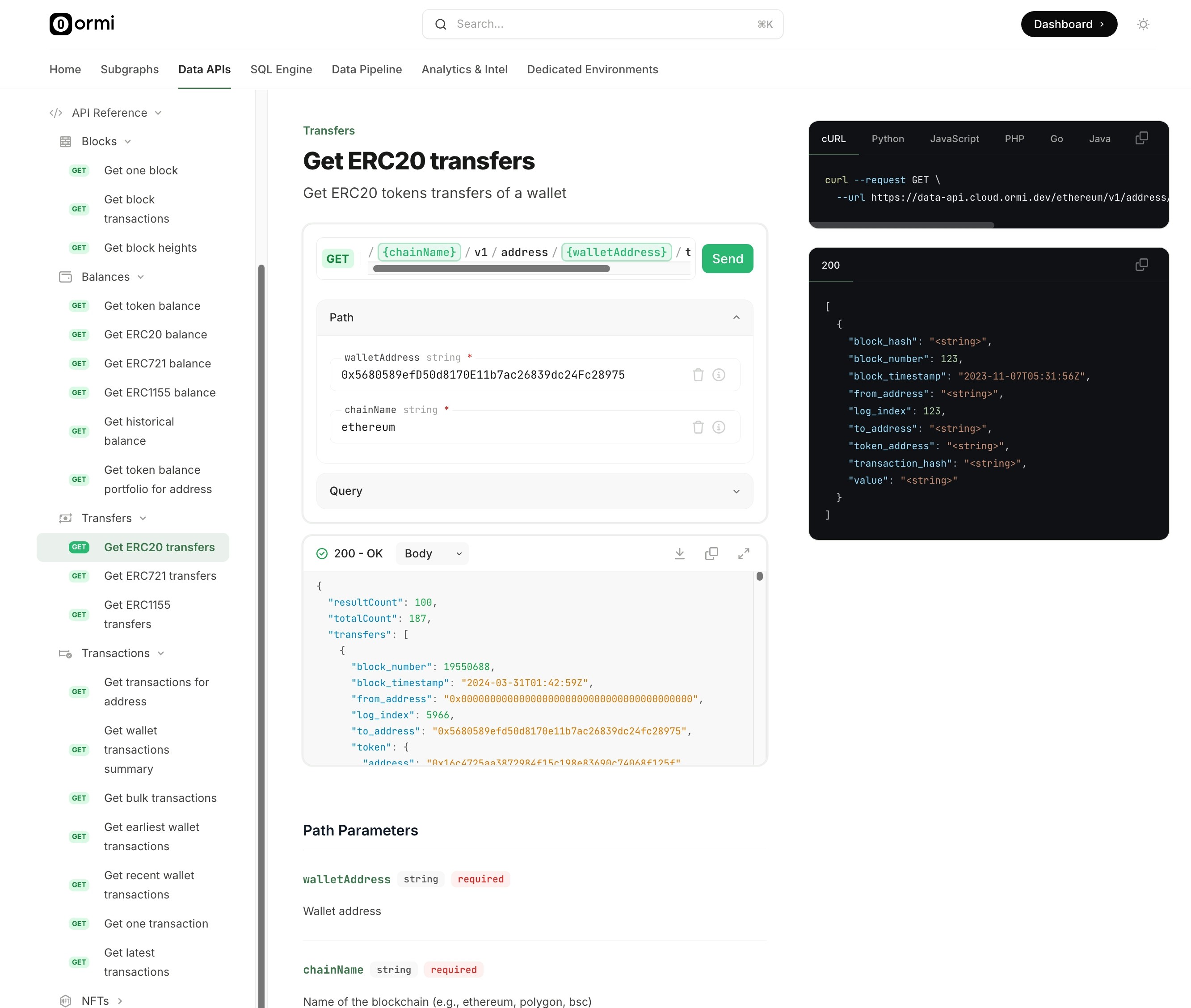 Retrieve ERC20 transfers
### Step 2: Get the required variables
Copy and paste the required endpoint path and query parameters into the editor, then click "Send" to make the request.
Retrieve ERC20 transfers
### Step 2: Get the required variables
Copy and paste the required endpoint path and query parameters into the editor, then click "Send" to make the request.
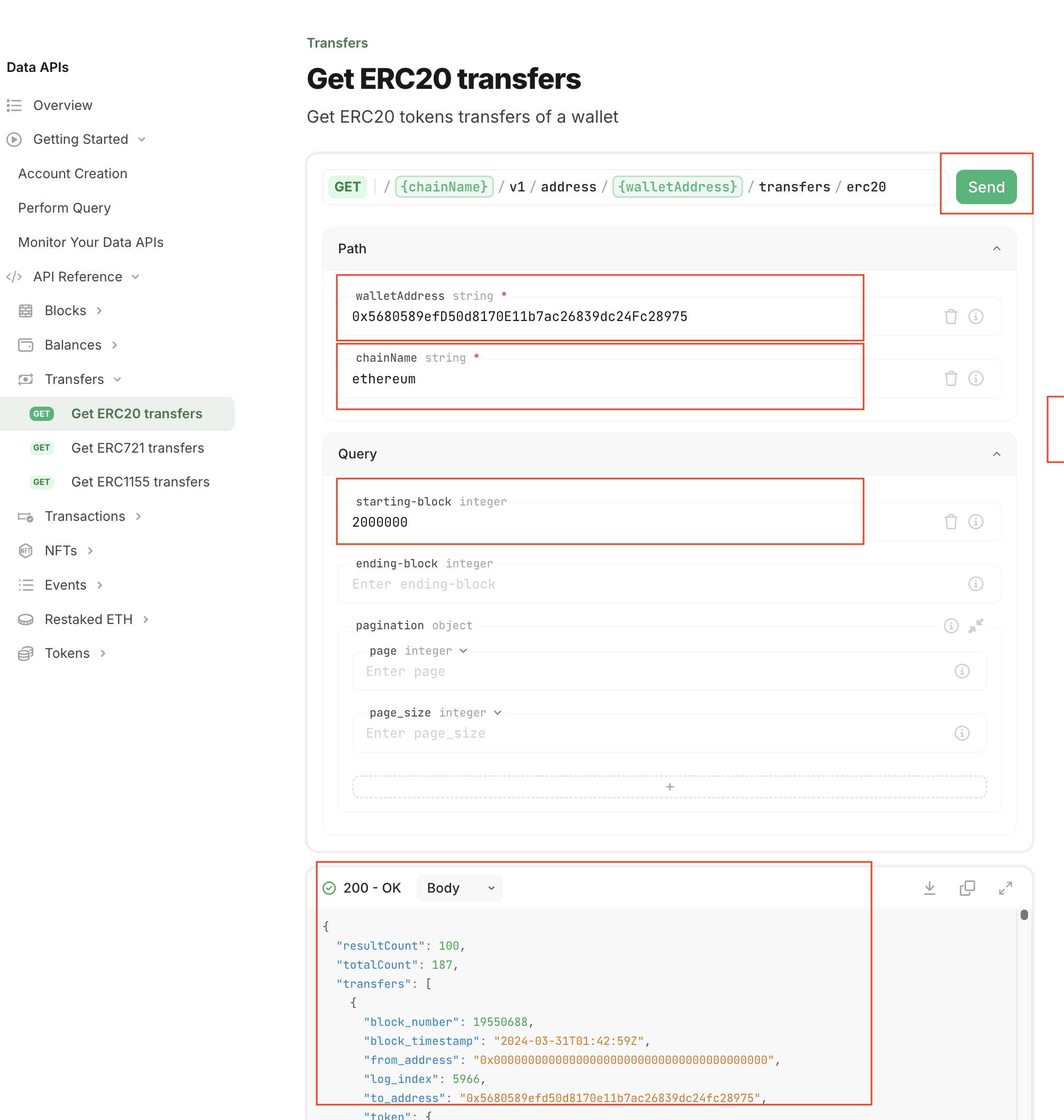 Perform query
### Step 3: Query with a third-party tool
You may use any third-party tool such as curl or Postman to directly query the endpoint.
Perform query
### Step 3: Query with a third-party tool
You may use any third-party tool such as curl or Postman to directly query the endpoint.
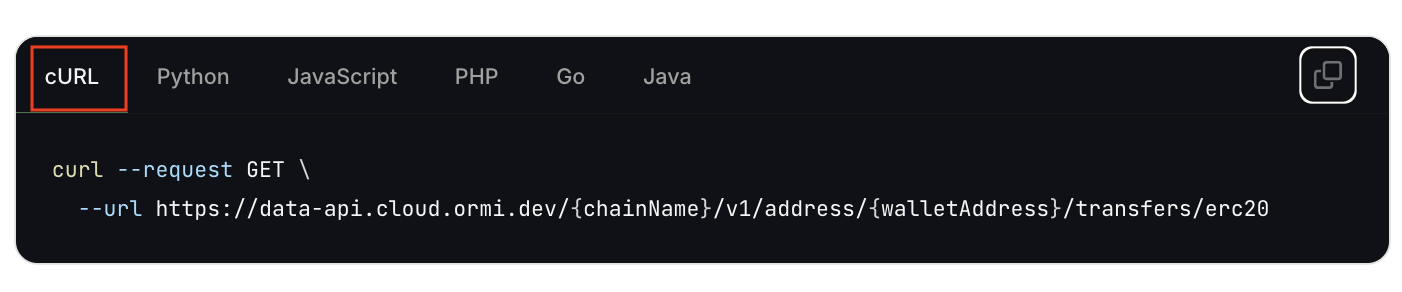 Using curl for query
### Step 4: Check out code snippets
The API Reference page also provides handy code snippets for various programming languages to help you get started.
Using curl for query
### Step 4: Check out code snippets
The API Reference page also provides handy code snippets for various programming languages to help you get started.
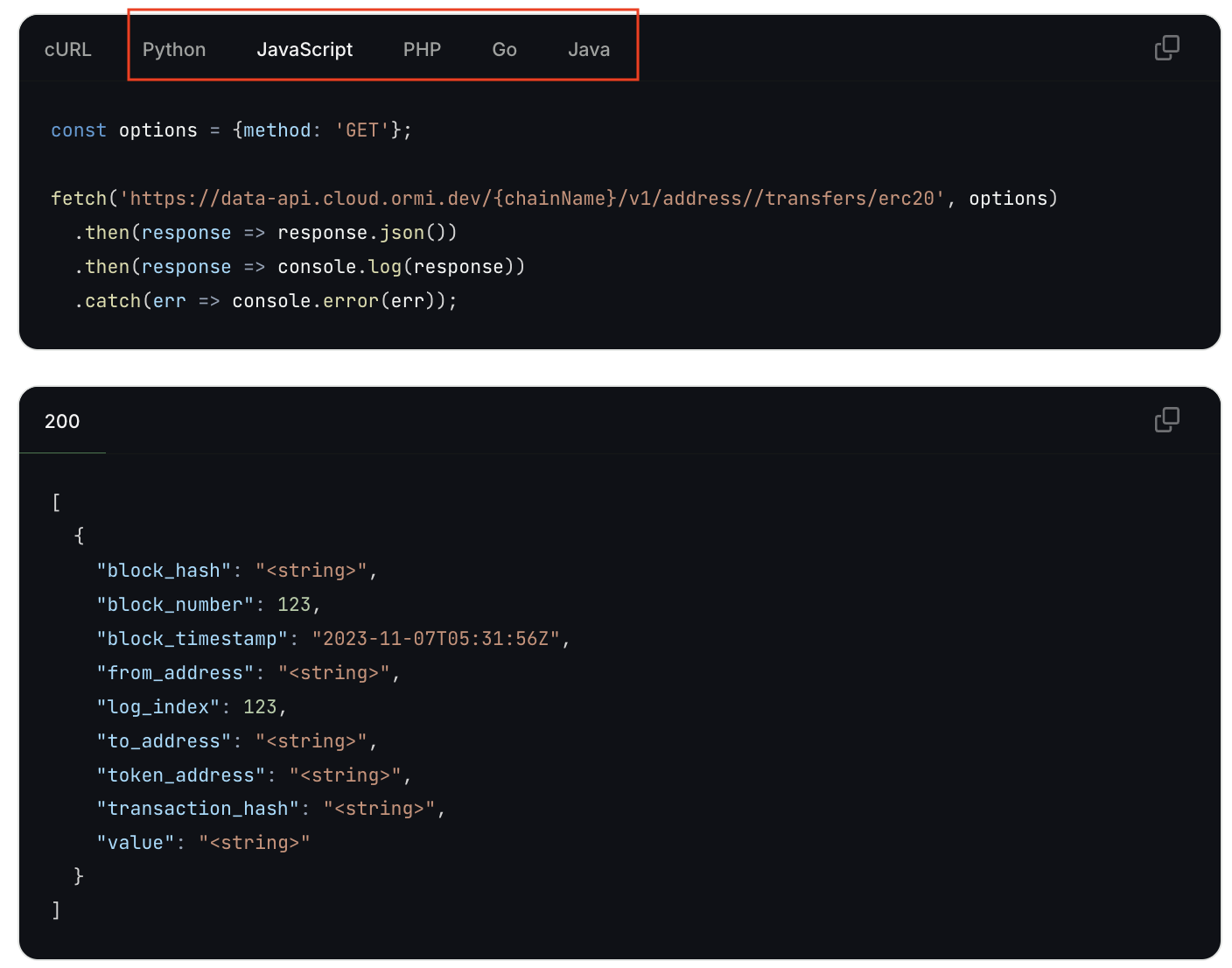 Using other programming languages